Account
Your profile, how you sign in, and how to leave.
Updated
Edit your profile
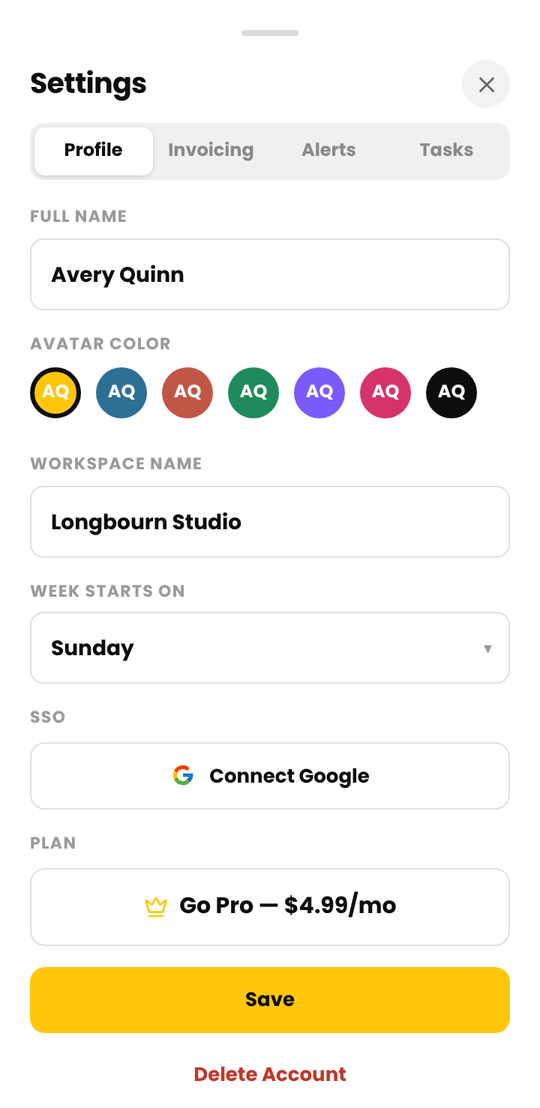
Tap your avatar, then Settings, and open the Profile tab. You can change your first and last name, avatar color and workspace name, and choose which day the week starts on (Sunday or Monday). The week start is saved on each device, so set it on every device you use. Tap Save.
Sign in with Google
Sign-up is by email and password. To add Google sign-in afterward, open Settings > Profile and tap Connect Google. From then on you can tap Continue with Google on the sign-in screen.
Continue with Google only works for an account you've already created. If you try it without one, Cruxy asks you to sign up with your email first.
Reset your password
On the sign-in screen, tap Forgot Password?, enter your email and tap Send Reset Link. Open the email, tap the link and choose a new password. For privacy we show the same message whether or not an account exists for that email.
Install Cruxy on your phone
Cruxy works in your browser at get.cruxy.io. To open it like an app:
- Android: open get.cruxy.io in Chrome, tap the menu, then Install app or Add to Home screen.
- iPhone: open get.cruxy.io in Safari, tap the Share button, then Add to Home Screen.
Cruxy is coming soon to Google Play and the App Store. Cruxy updates itself. If it reloads after an update, that's why.
Log out
Tap your avatar in the top right and choose Log Out.
Delete some of your data without deleting your account
You don't have to delete your account to remove data. You can delete:
- Time entries: open an entry and tap the trash icon. See Edit or delete an entry.
- A client, with its projects and time entries: see Delete a client.
- Invoices: see Delete an invoice.
- Projects and tasks that have no entries, and retainers.
Deleting can't be undone. If you want something removed that you can't delete yourself, email support@cruxy.io from the address on your account and we'll take care of it.
Delete your account
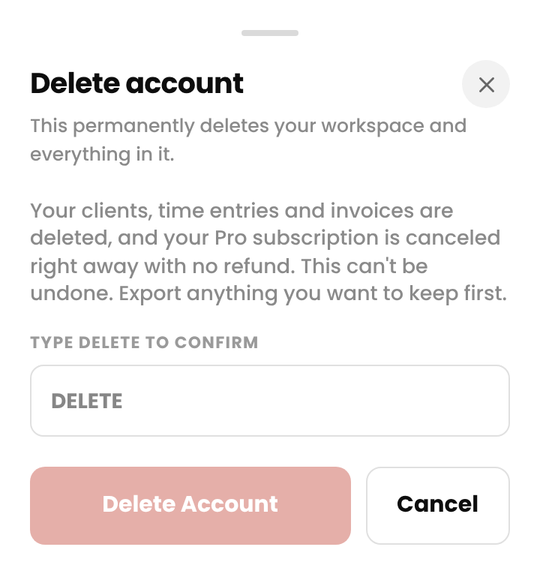
Open Settings > Profile, tap Delete Account, type DELETE and confirm.
- If you're the workspace owner, your workspace and everything in it is permanently deleted: clients, time entries, invoices and settings.
- A Stripe subscription is cancelled straight away, with no refund for the current period.
- A Google Play subscription is not cancelled by deleting your account. Cancel it first in Google Play (Play Store app > Profile > Payments & subscriptions), or you will keep being charged.
- There is no undo and no grace period.
Export what you need first. See Export your time, and download your invoice PDFs. If you can't sign in, email support@cruxy.io from the address on your account.